< All Articles
How to search People using the Viva Connections Dashboard People Card
One of the recent changes/additions made in SharePoint was the addition of the new Viva Connections Dashboard Cards called People Search. So today, I want to introduce you to it and explain its nuances and limitations.
What are Viva Connections?
First, if you are unfamiliar with Viva Connections, I suggest you check out this article. Viva Connections allows you to visualize your Intranet inside Microsoft Teams.
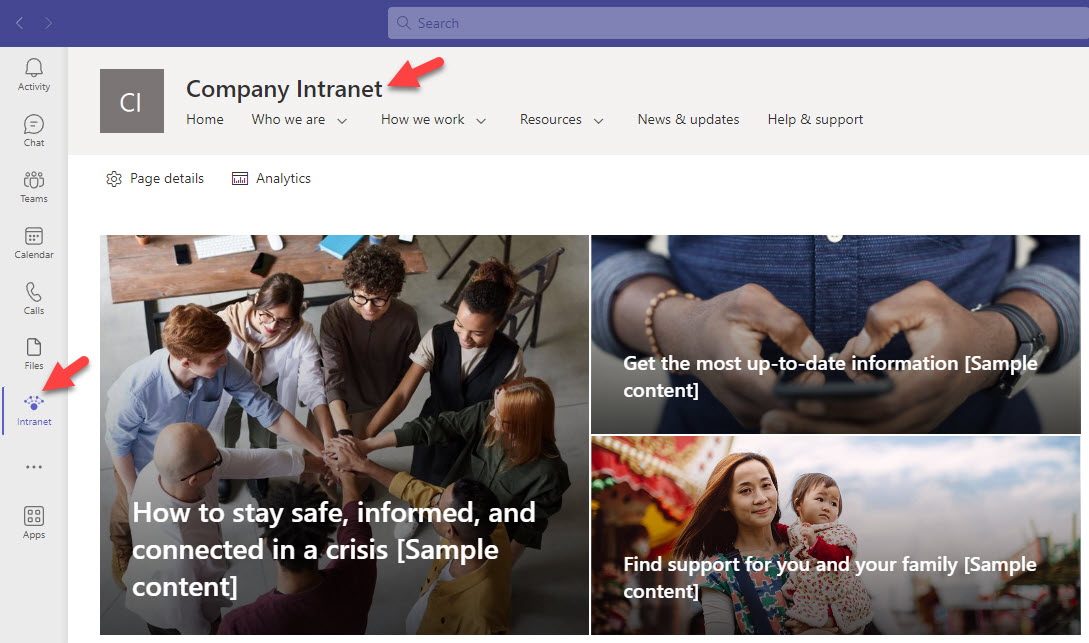
How to add a People Search Card in Viva Connections
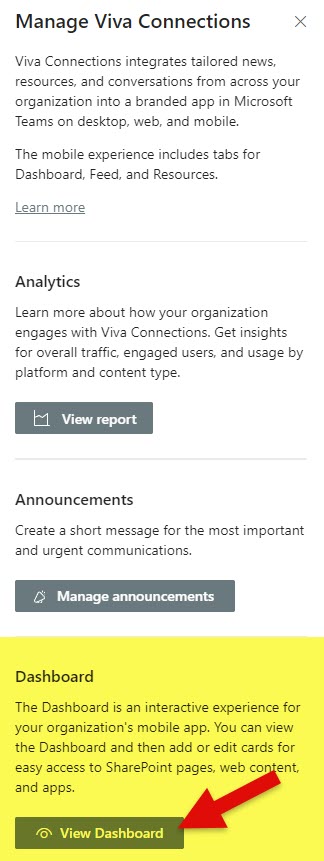
- Navigate to the Homesite that you use for Viva Connections. Click Gear Icon > Manage Viva Connections.
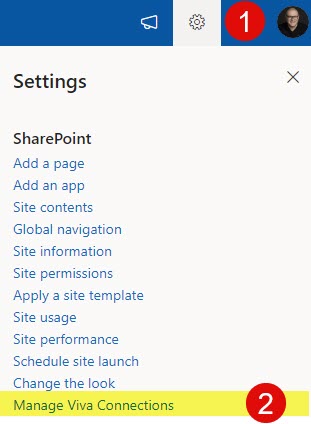
- Click on View Dashboard
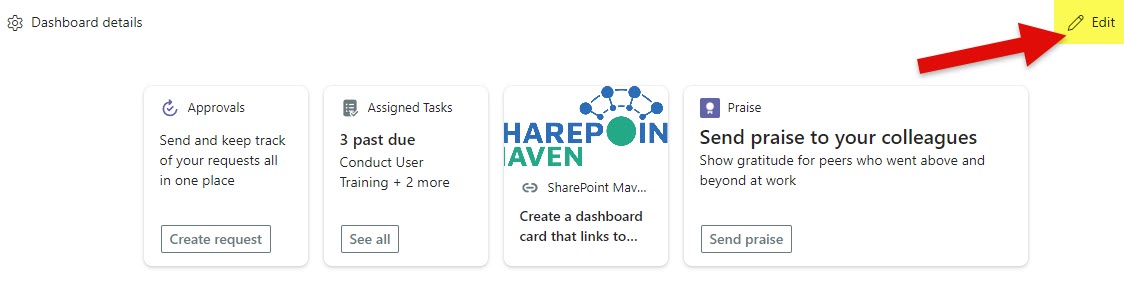
- Edit the Page
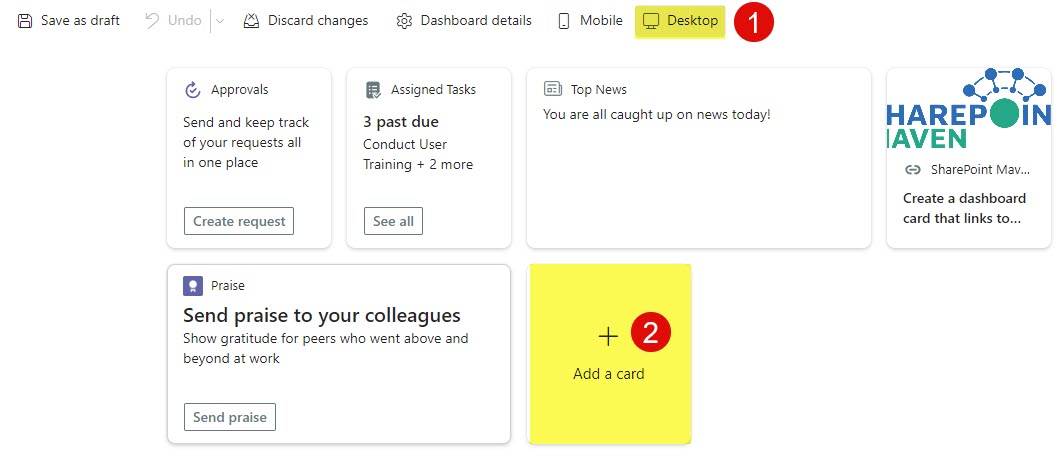
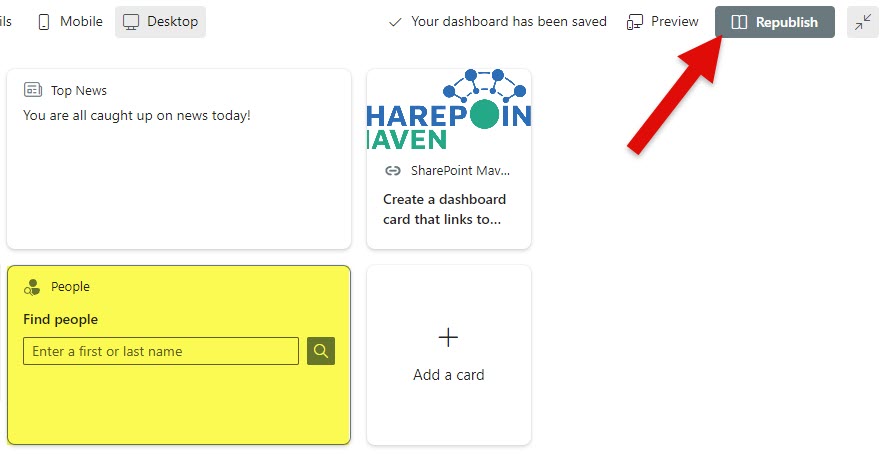
- Switch to Desktop experience, then click on Add a card.
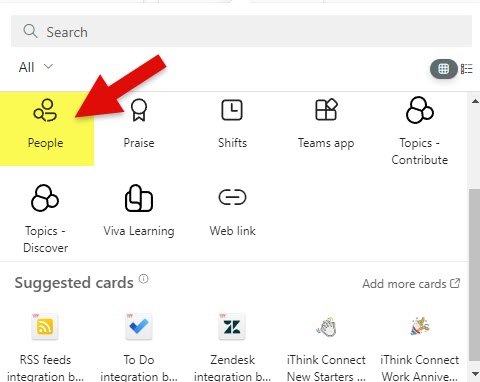
- From the list of available cards, choose People.
- This will add the card to the page; click Republish.
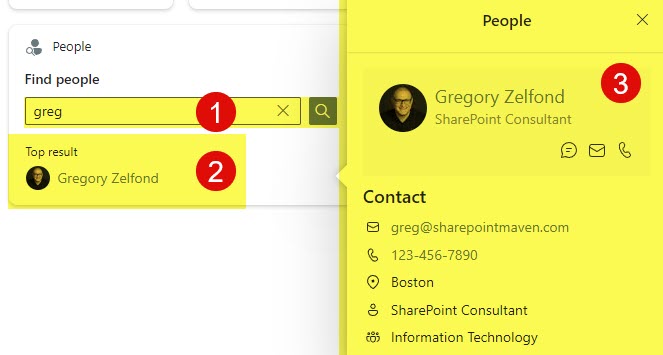
User experience with Viva Connections Dashboard People Card
The search is pretty straightforward. Once you type the name, it will provide relevant picks. Once you click on the user, it will display the card with user information.
Nuances and Limitations of People Search Card
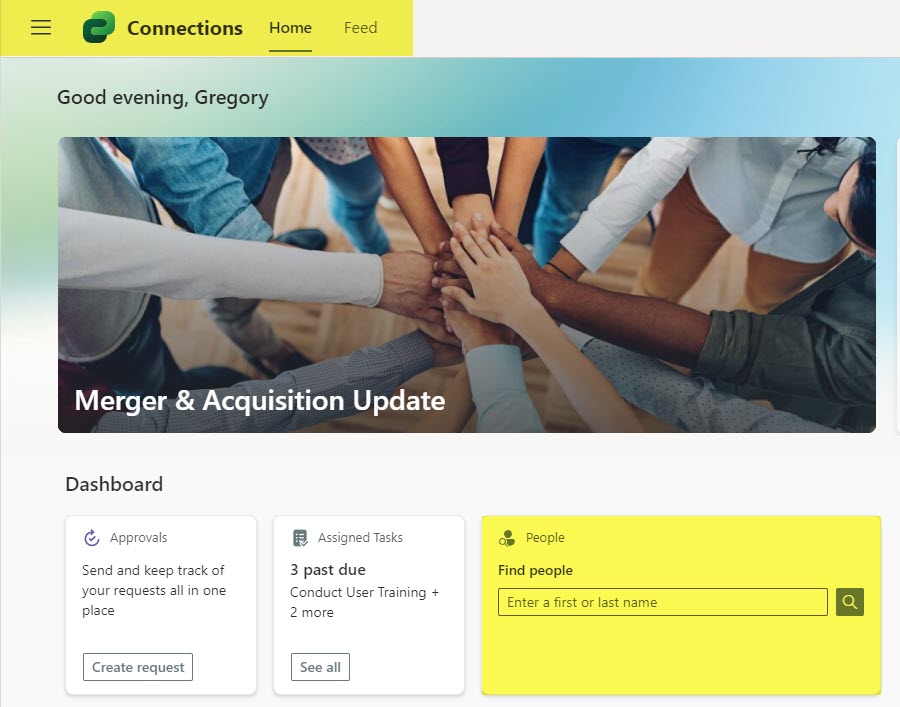
- If you replaced the default Viva Connections Page with your SharePoint Intranet Homesite, the only way to display the People Search Card would be to add the Viva Connections Dashboard Web Part to the Homepage.
- People Search Card displays the same information as the People Web Part in SharePoint (all the information is derived from the Active Directory/Microsoft Entra ID) – so you would need to maintain/clean up data there.
- You can also add a People Search Card in the native Viva Connections Page as well.

Share Article