Org Explorer in Outlook and Teams
Employee Directory in SharePoint is somewhat of a captivating topic. We never really had a good option for it. Delve, which was the closest thing to it, however, was deprecated years ago. That left many orgs scrambling for a third-party solution. Lately, we got another option that should fit the bill for most firms. Let me explain.
Org Explorer in Outlook and Teams
The Delve “replacement” that Microsoft rolled out a few years ago is called Org Explorer. It is not really based on SharePoint and, for now, can only be accessed from either Outlook or Teams. It relies on Entra ID and shows the reporting structure, which many firms often require.
How to access Org Explorer in Outlook
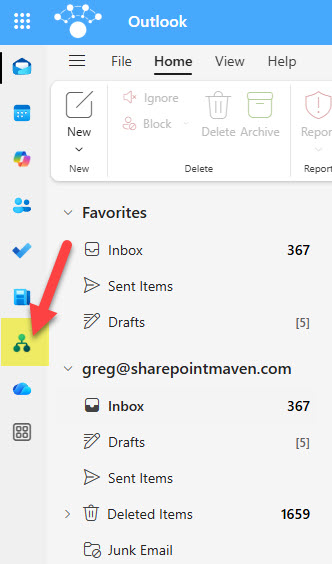
To access Org Explorer in Outlook, click on the Org Explorer icon from within the Outlook Application.
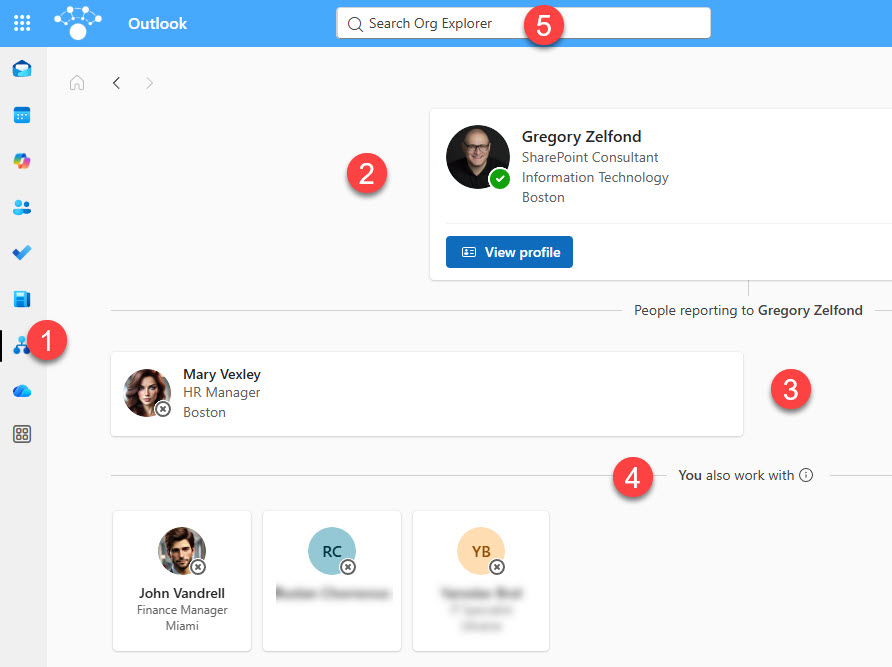
You will then see the Org Explorer page.
How to access Org Explorer in Teams
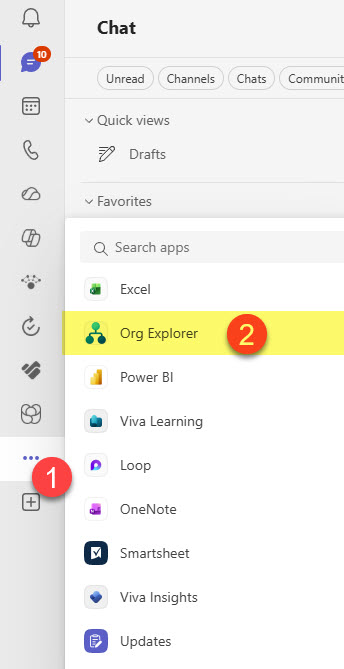
Teams has a dedicated app for Org Explorer. To access it, search for it in the list of Teams Apps.
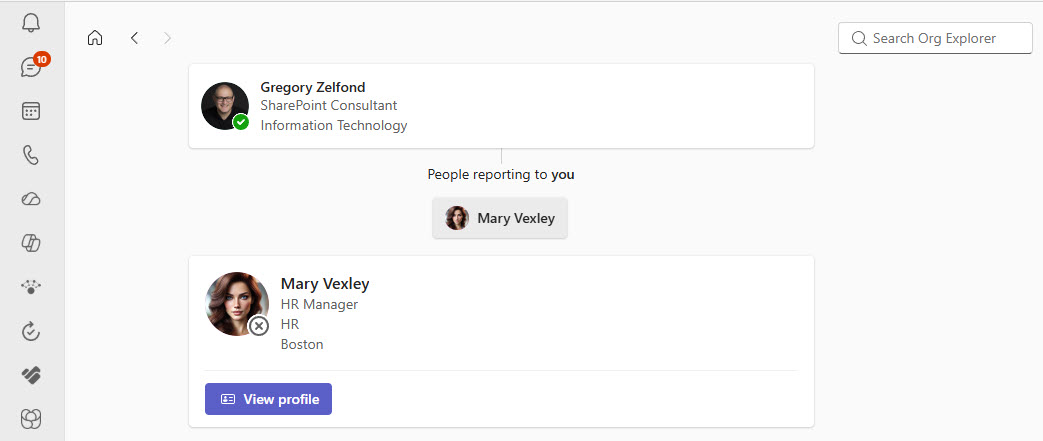
The interface for Org Explorer is nearly identical to Outlook’s, except for the location of the Search box.
Nuances about Org Explorer in Microsoft 365
- Org Explorer information comes from Microsoft Entra ID (employee info, reporting hierarchy, etc.)
- There is no way to configure or change the layout of the Org Explorer
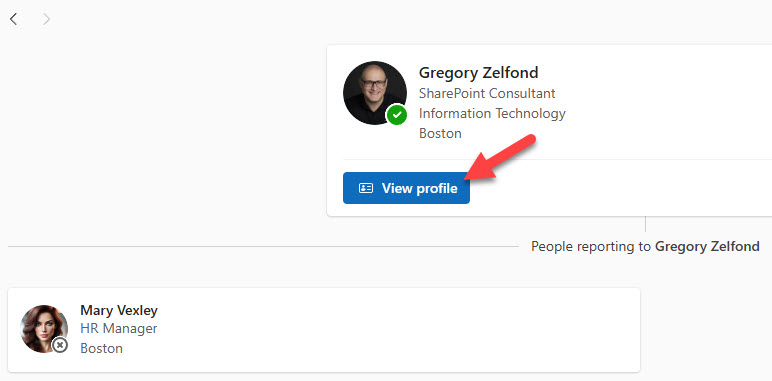
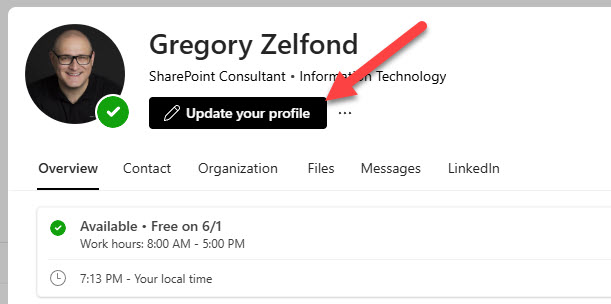
- If you would like to update your own profile information, you can click on the View profile button appearing over your name and then click on the Update your profile button. I explained how to achieve this in an earlier article of mine.

Share Article