Viva Connections Assigned Tasks Card Explained
I’ve recently fallen in love with Viva Dashboard, particularly with some of its cards. They have less flexibility and configuration options than SharePoint Web Parts, but provide a quick way to personalize the site based on the logged-in user. One such card that deserves a mention is Assigned Tasks. Let me explain.
Before I explain the Assigned Tasks card, it is essential to understand what it is and where it can be configured. So I first suggest you check out this article of mine to get familiar with Viva Connections and Viva Dashboard. The only addition I want to make to this post is the fact that you can now configure Dashboard and create custom personalized experiences on any SharePoint site, not just the Home Site (this was a recent change implemented by Microsoft).
How to configure the Viva Connections Tasks Card
- The experience of configuring the Dashboard varies, depending on whether you do it from Viva Connections (Home Site) or a regular SharePoint Site. Assuming it is in Viva Connections, click Gear Icon > Manage Viva Connections

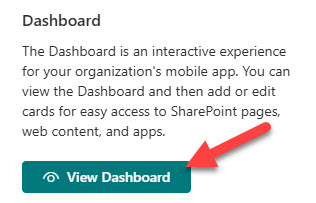
- Next, click on View Dashboard
- Edit the page and choose the Desktop experience tab

- Click Add a card and choose Assigned Tasks

- This will add the card to the dashboard. The only thing you will be able to configure is the size of the card (Medium or Large) and Audience Targeting

- This is how the card will render on the Dashboard

- Users can either Add a new Task or open various plans in Planner


Share Article