Personal vs. Shared Ownership. Best Practices for Microsoft 365 Assets.
We tend to think of SharePoint and Microsoft 365 as collaboration platforms that make it easy to collaborate with our colleagues. However, given the architecture of those applications, it is important to understand whether you create content and collaborate within shared or personal spaces, as this will have a profound impact on usability and data retention over time. If you are thinking, “Greg, what the hell are you talking about?” let me start with the classic use case.
OneDrive vs. SharePoint
This is the most common scenario. You added some files to OneDrive instead of SharePoint and shared them with your colleagues for collaboration. So far, so good. However, when the file was finalized, it was never moved to the SharePoint site (where it probably belonged in the first place). You then went on vacation or worse, decided to leave the company. Your OneDrive account will be deleted by default in 30 days. And guess what, that Intellectual property would be gone!
It is very important to store shared content in SharePoint and your private documents in OneDrive. The user must understand the difference and its consequences.

While the OneDrive vs SharePoint dilemma is the most common use case, it is not the only one. Let me list the other examples below.
Personal Chats vs. Group Chats
Teams is the next biggest offender of this. To be precise, users using Teams are. Most users these days use the Chat feature to communicate with others and exchange messages. That is great when you just have some generic conversations. But say you are chatting about some department or project deliverables… Those belong in the respective channels and not in Private chats. Why, you might ask? Because when you leave the organization, those personal chats and history are gone! This is not the case with Group/Team Channels chats – they will always be part of the history.

Personal Chat shown next to a Group Chat in the Teams Channel
Personal Lists vs. Group Lists
Lists also have the same “problem”. We actually did not have this until 2020, when Microsoft revamped Lists. In the past, Lists could only be created on a given SharePoint site. Today, you can create Personal Lists that are tied to the user’s OneDrive. So, if you created an issues log for a Project as your personal list rather than on a SharePoint site, you will lose the list once you leave the org…
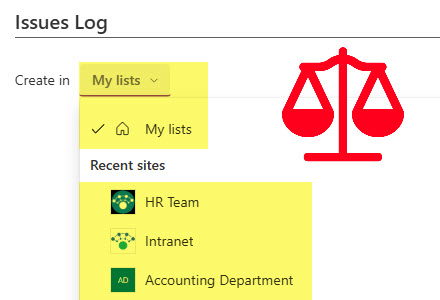
List creation screen. Lists can be Private or added to a Site.
Personal Plans vs. Group Plans
The same applies to Planner. With the recent Planner revamp, we can now create personal plans. Once again, if this is a project plan or a checklist that others need access to, it needs to be a Group Plan.
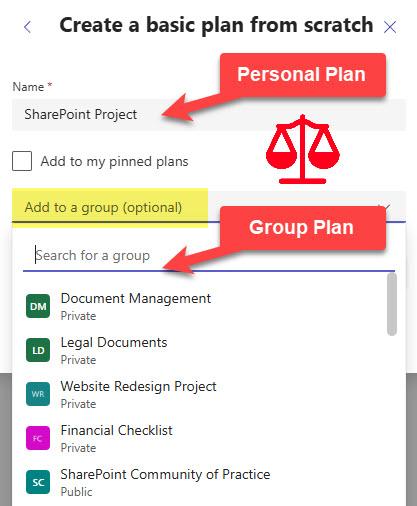
The plan will by default be created Private unless you add it to an existing site (Microsoft 365 Group)
Personal Forms vs. Group Forms
The same issue affects Forms; in fact, it occurs more often than noted. You created a personal intake form (E.g., Vacation Request). As a result, you are the only one who can see the result. Instead, you should have created the Group Form. Check out this article to learn how to move a Form from a Personal account to a Microsoft 365 Group.
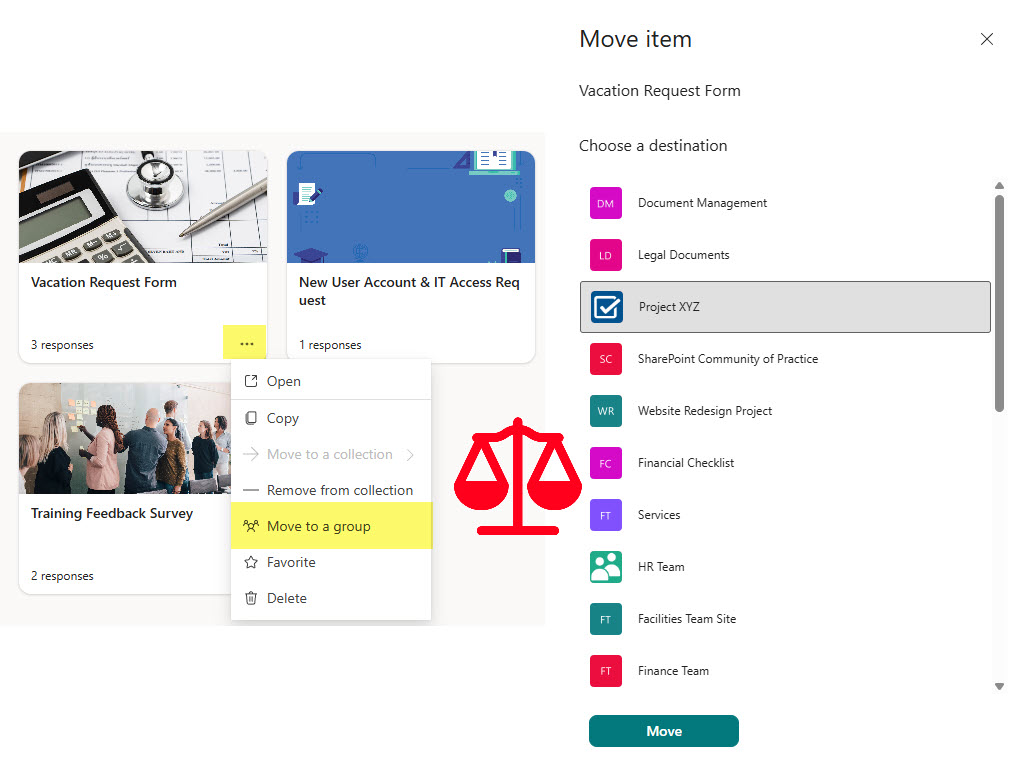
All Forms are created Private, unless you move them to an existing Microsoft 365 Group.
Personal Loop Workspace vs. Group?
Loop, the new application we now have, has the same “problem”, though its impact is less compared to other examples here. You can create pages in a personal workspace or a group workspace. Make sure to choose the correct option.
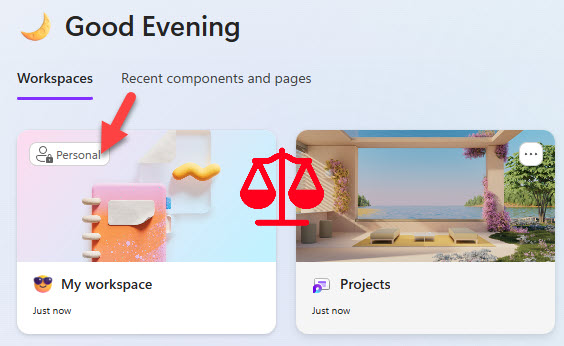
Personal Workspace is less of an issue. Most pages are created in new (shared) workspaces.
Hopefully, the above summary makes sense. There are clear, valid use cases when you might need to choose between personal and shared ownership/assets; just make sure you understand the difference.

Share Article