< All Articles
How to generate a QR code for a SharePoint page
I recently worked with a client for whom I built the QR Library. They wanted a document library of QR codes for the most common forms, templates, and URLs. One of the QR codes they wanted displayed in that library was for the Company Intranet Homepage. Unlike Microsoft Forms, which lets you generate a QR code during form creation, SharePoint does not offer a QR code creation mechanism. However, this feature is built into the web browser. Let me show you a trick I used to generate a QR code for a SharePoint page. I provide instructions for Google Chrome and Microsoft Edge browsers.
Generate a QR Code for SharePoint using Google Chrome
- Once on the given SharePoint page, click the 3 dots in the Chrome’s upper-right-hand corner, then Cast, Save and Share, then click on Create a QR code. (alternatively, you can also right-click on the SharePoint page).

- The pop-up displaying the QR code will appear. Click on the Download button to save it as an image.
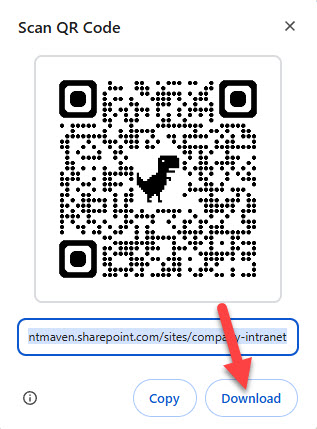
- The above step will download the QR Code onto your desktop. You can now share this code with others.

Generate a QR Code for SharePoint using Microsoft Edge
- Right-click anywhere on the SharePoint page and choose Create QR Code for this page
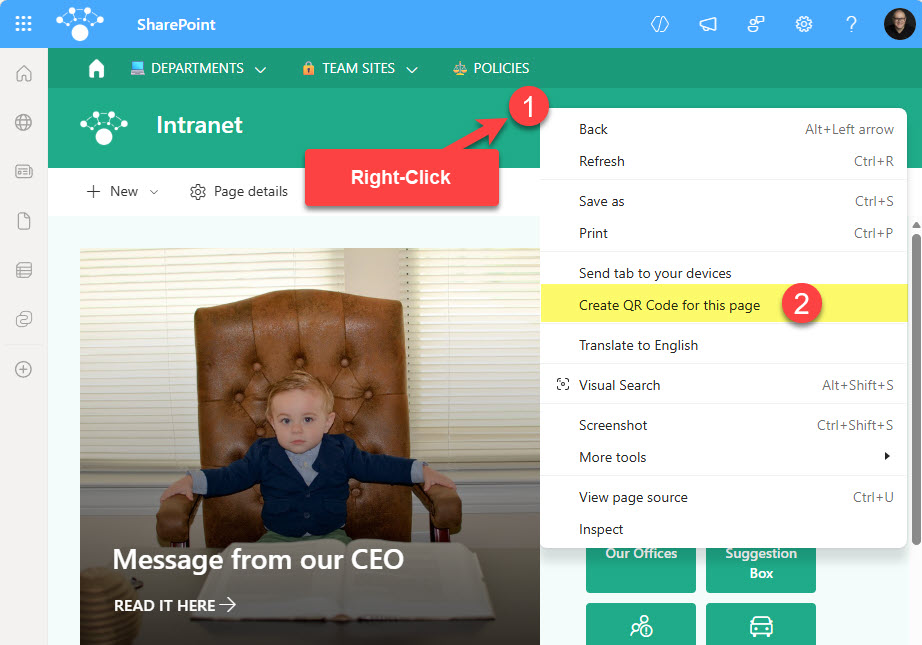
- A pop-up with a QR Code will appear. Click Download to download it to your desktop.
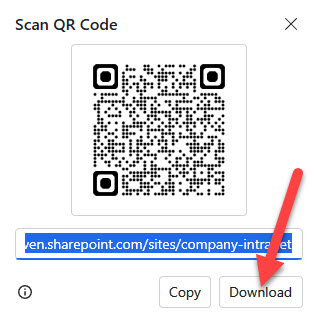
- The above step will download an image of the QR code.

Use Cases for SharePoint page QR Codes
I am sure there are plenty of unique use cases for generating SharePoint page QR codes. Here are a few from my experience:
- QR code for Company Intranet Homepage
- QR code for Human Resources Site
- QR Code for Employee Handbook
- QR Code for Policy Document Acknowledgment
- QR Code for New Hire Onboarding Site
- QR Code for Training Site
- QR Code for Intranet or Site for Non-Office workers

Share Article