Draft to Final: 4 Methods for Managing Documents in SharePoint
I always get this question from my clients. How can a document owner edit and revise a file privately, and then share the final version with all employees? This could be a human resources policy, handbook, standard operating procedure (SOP), or any other document that is frequently revised and updated. Well, let me list a few options for you. The first 3 options rely on a single library approach, while the fourth one assumes you would have 2 separate sites – one for edits and another for official docs. As I often do in my articles, I will list the pros and cons of each option.
Option 1: One site/document library with check-in/check-out
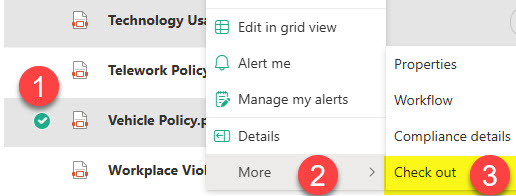
This option, along with the next two, utilizes a single site with a document library. To differentiate between the editable and published versions, the document owner would check out a document, make the necessary revisions, and once ready to publish to the world, check it back in. I explained the concept of check-in/check-out in this article of mine.
Pros
- Just one site/library to worry about
Cons
- Since both employees and document owners share the same library, permissions must be carefully set up to prevent accidental edits by employees.
- No co-authoring is allowed when a user checks out a document.
- While checkout is great for specific use cases, it is not the best method for distinguishing between published and unpublished versions.
- Requires a bit of education and discipline for the document owners
- Users can still access an older version of the document via version history.
Option 2: One site/document library with an approval workflow
Another option to address this business requirement is to create an approval workflow, as documented in this article. You can then use approval status and other metadata custom columns to distinguish between the final and work-in-progress (pending) versions of the document.
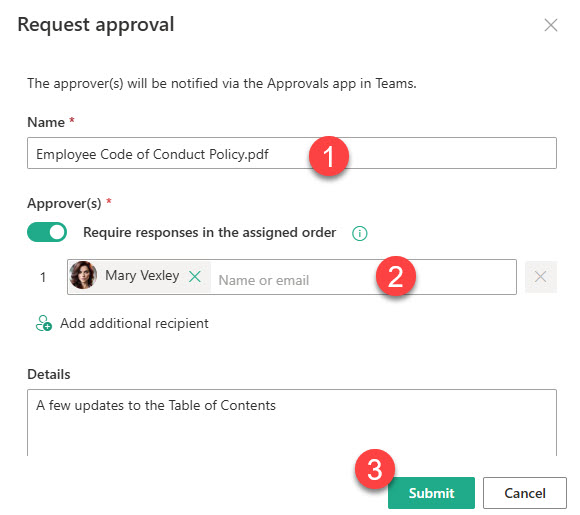
Approval Request for a Document
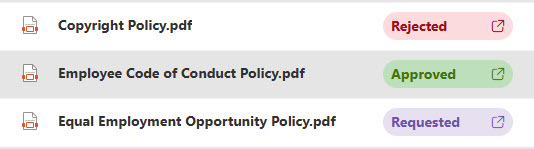 Approval Column with an Approval Status
Pros
- Just one site/library to worry about
- Approval workflow ensures full traceability with the formal approval history
Cons
- As mentioned above, since both employees and doc owners share the same library, permissions must be carefully set up to prevent accidental edits by employees.
- Users can still access an older version of the document via version history.
- Workflow does not prevent users from accessing the pending version of the document, which may lead to compliance issues.
Option 3: Single site/library with Major/Minor versions
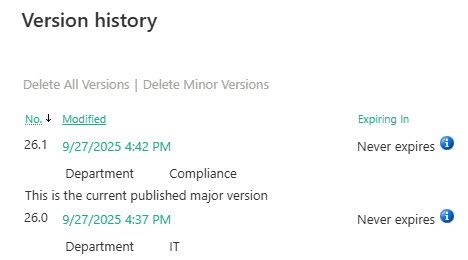
Another option to take advantage of a single library is to enable minor versions. This will allow document owners to make edits with minor versioning (1.1, 1.2, 1.3, etc.). Once ready to publish, the document can be promoted to a major version (2.0). I explained the concept of minor/major versions here.
Pros
- Just one site/library to worry about
Cons
- Since both employees and doc owners share the same library, permissions must be carefully set up to prevent accidental edits by employees.
- Requires a bit of discipline on behalf of the document owners
- Requires a bit of education on how major and minor versions work
- Users can still access an older version of the document via version history.
Option 4: Create 2 separate sites
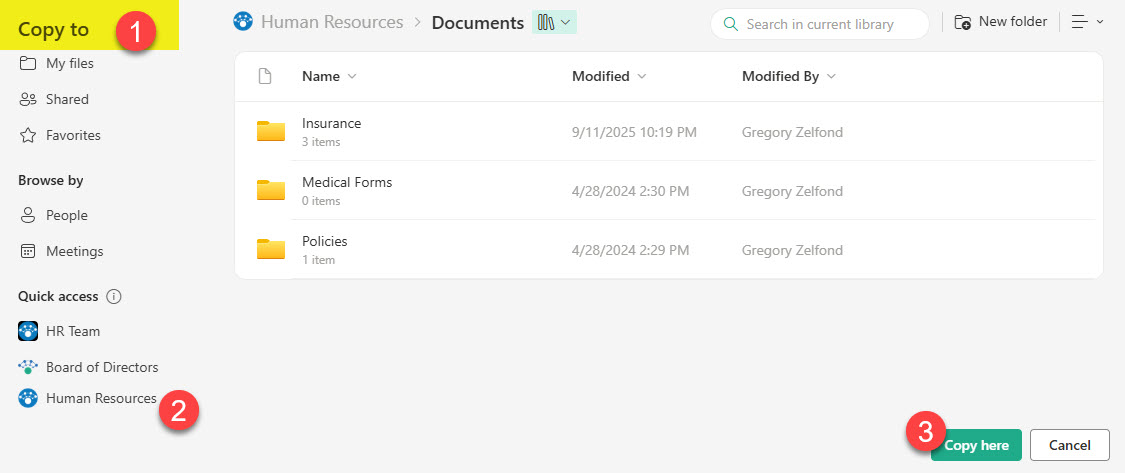
The last option is by far my favorite. It is not as “sexy” as the previous three I listed above. It is also somewhat simple and primitive. But it is also foolproof. The idea here is that you don’t risk it with a single site/library where mistakes can occur and users might see an unpublished version or, worse, accidentally edit the published one. You just create 2 sites. One for edits (for document owners to edit and collaborate on pending docs) and another for all employees to view the published version. Once doc owners are ready to make the policy or SOP official, they simply copy the document to the employee-facing site (i.e., the Communication site). A good example that I often reference on my blog is Human Resources. HR will have a private Team Site for edits and a Communication site for employees with read-only access.
Pros
- Most foolproof option since permissions will be set at the site level upfront
Cons
- Requires document owners to copy documents between sites manually

Share Article