How to overcome the 5,000-item view limit in SharePoint
I first blogged about this issue back in 2015. It was my most popular article at the time because it was widespread, and many users migrating to SharePoint ran into this unfortunate limitation. Fast forward 11 years, and we are still talking about it because the issue persists, though to a lesser extent.
So I decided to rewrite this article, demystify the 5,000-item view limit, and explain how to avoid and mitigate it.
What is the 5,000-item view limit?
The 5,000-item view limit, or list view threshold (LVT), is the maximum number of items that can be displayed or queried in a single view in a SharePoint list or library. It is not a limit on the number of files or items that can be stored in a list or library.
Why do we have a 5,000-item view limit?
We’ve had this limit in SharePoint since its classic days. Back then, it was related to server performance issues, since SharePoint was always installed on-premises. Though we now have SharePoint hosted online (on Microsoft servers), the limit remained. Microsoft uses it to protect the shared database behind your SharePoint from queries that would slow it down for everyone.
Let me explain this limit with a few examples.
Scenario A
Say, your document library has a total of 15,000 files. Each file (and each folder) counts as an item, so we have 15,000 items in total.
If you organize these files the way most people do, in folders and subfolders, you might end up with many folders and subfolders, each containing a few hundred files.
So if you navigate to any level within the library above, you’ll see only a few subfolders and their contents (say, 200 files).
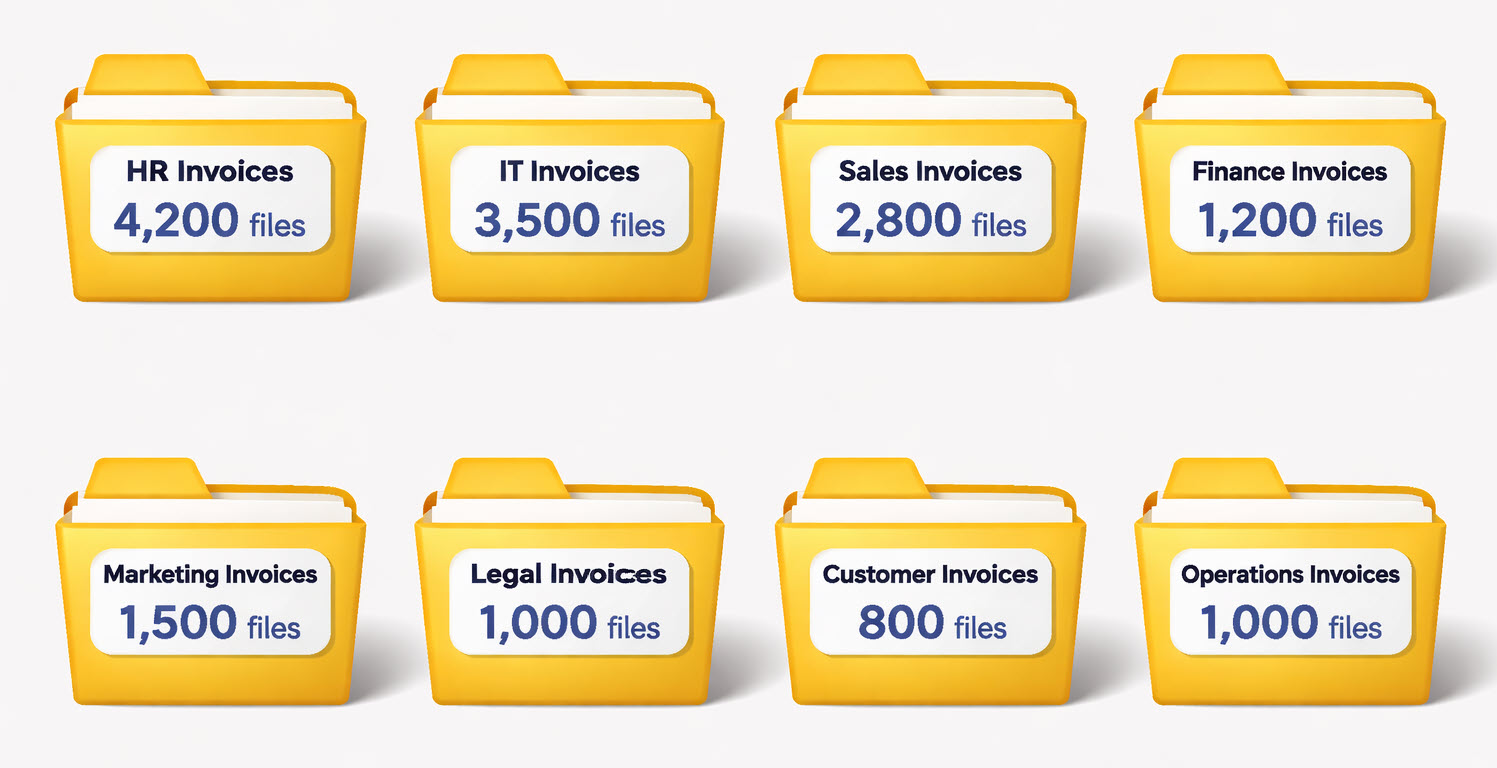
In this case, we are not violating any limits, specifically the 5,000-item view limit. Although the library contains 15,000 items, we display only a few hundred files/folders at any given moment, which is less than 5,000.
Scenario B
Let’s take another scenario. We will use the same library with 15,000 files, but this time, there are no folders to organize them. They are all sitting in the root of a library. Or perhaps you do have only 2 folders, each containing 7,500 files, with no other subfolders to split them apart.

In this case, you are over the 5,000 display limit because when you click the folder, it tries to display 7,500 items, which exceeds 5,000.
How to mitigate the 5,000-item view limit
The way to mitigate the limit depends on whether you are trying to avoid it on a list or a library. There are different techniques to address each – let me explain.
How to mitigate the 5,000 limit in a document library
- Create folders. The limit is on the “view”, not the overall population of a document library. As I explained in my indexing article, the folder acts as a “view container”. As such, create folders and ensure that each folder does not contain more than 5,000 items to display in that view.
- Create indexed columns and set up filtered views. Again, per my indexing article, if your document library uses metadata and has no folders, and you expect to have more than 5,000 files in it, you must create indexed columns and set up filtered views on them (before the library gets close to 5,000 items).
How to mitigate the 5,000-item limit in a list
- Create indexed columns with filtered views. Since lists do not really have folders like libraries do, indexing columns and creating filtered views is a must!
- Consider Microsoft Dataverse for large datasets. If you are building a true database application with hundreds of thousands of records, a SharePoint list is not the right tool!
Nuances
- You cannot increase the 5,000-item view threshold. This is a hard limit set by Microsoft to protect the shared environment and cannot be changed within your tenant/environment.
- Infinite scroll on a list helps! The modern SharePoint experience loads items (rows of data) in batches as you scroll, so this definitely helps! The trouble starts the moment you try to sort, filter, or group by a column that is not indexed, or create a view that returns more than 5,000 items.
- While official Microsoft documentation states you can store up to 30,000,000 items in a library, you really have to be “high” to even think about this. In my experience, the practical ceiling for a single library is about 100,000 items.

Share Article