5 Mistakes to avoid when migrating to SharePoint
Having consulted hundreds of organizations on SharePoint over the last decade, I have observed many mistakes my clients made when transitioning to SharePoint and Microsoft 365. There are many pitfalls and gotchas that might derail the implementation. As a result, I decided to highlight the top 5 mistakes to avoid when migrating to SharePoint.
Mistake # 1: Migrating to a single site/library
The most common mistake is the lack of proper information architecture. Most of the time, this means that the client or their IT provider migrated their entire file share into a single site/document library, and then the @#$% hit the fan. I have already written several posts on the topic. The more sites there are in SharePoint, the better, as this is a container where we manage content and security. Check out this article for more info.

Mistake # 2: Confusion about SharePoint vs. OneDrive
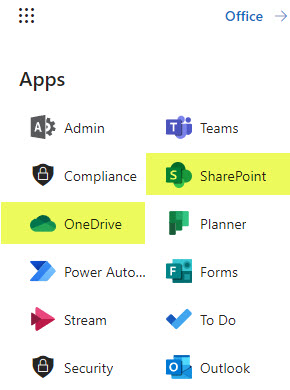
I can’t tell you how many times the entire file share was copied to someone’s OneDrive, and then the OneDrive Owner shared various files and folders with the employees. Misunderstandings about SharePoint vs. OneDrive are one of the major reasons for implementation failure. Check out this article, where I explain the difference between the two.
Mistake # 3: Confusion about SharePoint vs. Teams
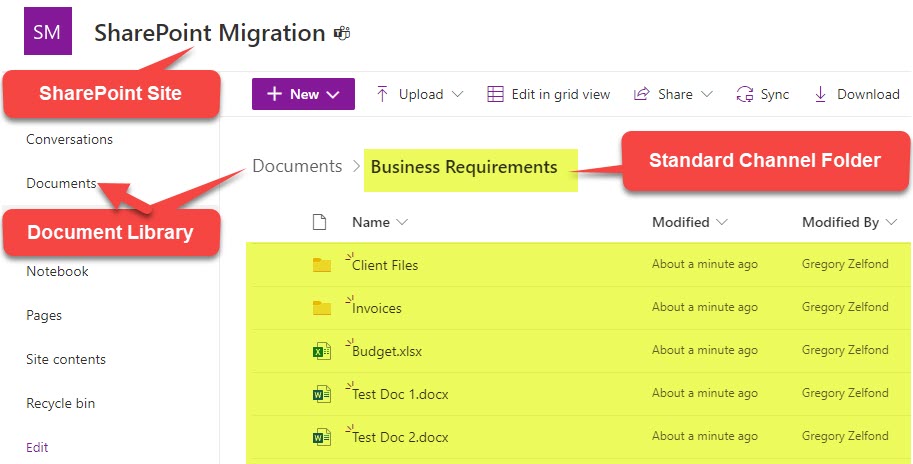
Another huge mistake organizations make is failing to distinguish between Teams and SharePoint. To be precise, they fail to understand how the two are integrated. I often see Teams created when they should have been SharePoint sites for document storage. Or, the other way around: first, users create sites for document storage; then, they create a Team to chat without realizing it creates another site (duplicate). I suggest you check out this article that explains the relationship between SharePoint and Teams.
Mistake # 4: Disable external sharing
Sometimes, this makes me wonder why organizations switch to SharePoint in the first place. They allow users to email documents as attachments externally via email yet prevent users from sharing externally from Teams/SharePoint. This is a huge mistake! It leads to shadow IT when users end up adding documents to their personal Google Drive or Dropbox accounts, bypassing the whole Microsoft 365 ecosystem. As I documented in this article, do not disable external sharing. Instead, monitor and control it.

Mistake # 5: No Training conducted
Yeah, yeah, yeah, “our employees are tech savvy and don’t need any training.” I have heard this so many times already. Only to find out that in a few months, those tech-savvy employees accidentally deleted the entire document repository when they were syncing documents locally to their PC. I understand that users have different technical levels, and some are more comfortable with technology than others, but SharePoint is a beast! It works in its own way, and it is not similar to the way other cloud file shares work. In SharePoint, we have the concept of a SharePoint site, a document library, Teams, Channel integration, the concept of Microsoft 365 Group, and so on. To understand how all these elements work sometimes requires PhD in SharePoint. 😊 So I highly recommend, actually, insist that you do not ignore employee training. Trust me, this would be the best ROI for your SharePoint implementation.

Share Article