Top 5 User Mistakes in SharePoint
This post makes me feel like a spouse in a decades-long marriage, whose main job is remembering and pointing out the other one’s mistakes. 😀 My clients, considering the move to SharePoint, always ask me the same question over and over: What are the top mistakes made by users in SharePoint? So I thought of finally documenting my answers in this article.
Mistake # 1. Putting all documents in a single library
This mistake is made by both IT during the initial migration as well as business users during the course of collaboration. Document Libraries in SharePoint do have limits. And even though the “official” limit from Microsoft says 30 million docs per library, trust me, you do not want to test it or come even close. The soft limit is 100,000 files and folders per library, but I always advise even for a much lower number.
As you increase the number of files in a library, you decrease its performance. Search becomes a nightmare. Not to mention the other issues derived from such a setup, like sync issues and deep folder hierarchies (also known as the 400-character limit).
To mitigate this
The solution is pretty simple. Do not put everything into a single library. Create as many as you wish on a site. Create multiple sites if needed! The more, the better!
Mistake # 2. Syncing all the document libraries
This has got to be the most common issue. Most users have been using Windows Explorer for years. So it is a tough habit to break with SharePoint. So they end up syncing all the libraries to their PC. And this is where they hit another limit of a maximum of 300,000 items that can be synced at once.
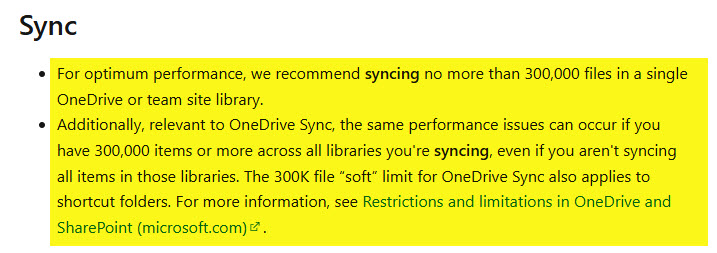
Source: Microsoft.com
To mitigate this
Avoid Sync if possible. Try to access content from the SharePoint site on the web or Teams. Use Add Shortcut to OneDrive instead, but beware that the same limit applies there, too.
Mistake # 3. Setting wrong permissions and oversharing
I cannot tell you how many times I have seen sites with like 10 Owners or Everyone within the organization having Member Edit access when they just needed to view the content. Likewise, entire sites are shared internally or externally only when a recipient needs to have access to just a few files and folders.
I always recommend going for the minimum permissions necessary. This is not rocket science, but trust me, I see this all the time.
To mitigate this
- Conduct User Training (which I mention below)
- Set up proper governance within your organization
Mistake # 4. Creating the wrong types of sites
This is one of the core issues that I see all the time as well. Users are creating the wrong types of sites in SharePoint all the time. True, Team Site is the prevalent type and makes sense in most cases. However, it is not always the correct one. In this earlier article, I explained the 3 types of sites we have in SharePoint.
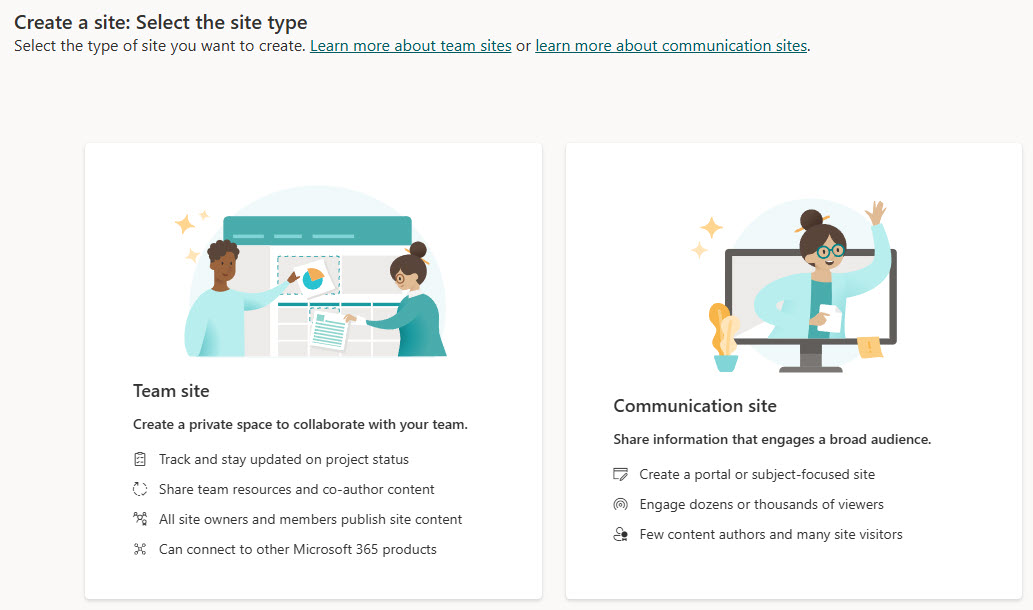
I have seen plenty of times when users create Team Sites with Teams and a group attached, only to use them for document storage. In this case, a Team Site without a Group would be a better fit. Likewise, I have seen numerous Team Sites used for Intranet Homesites or employee-facing sites, such as HR. In that case, a Communication site is the one you need to choose.
Creating the wrong time of sites leads to inadvertent issues down the road – like permissions management and oversharing.
To mitigate this
Familiarize yourself with the three types of sites available in SharePoint and create the appropriate types of sites based on the scenario.
Mistake # 5. Ignoring User Training
This last mistake often has to do with users themselves, but all the previous issues/mistakes can be traced to one big issue – lack of User training. Say what you want, but SharePoint is no file share or Dropbox and requires users to be familiar with its vast feature set, nuances, and limitations. So I always advise my clients not to skip or ignore Training. If you went through the pain of migration and shifting to Microsoft 365 with all associated costs and effort, do not ignore the best Return on Investment!
To mitigate this
- Conduct @#$% Training! 😀

Share Article