The Limitations of Storing CAD Files in SharePoint
I consult organizations of all types and sizes. One category of my clients is engineering or architectural firms. What makes these organizations unique is that, in addition to the regular Office files like Word, Excel, PowerPoint, and even widely established Adobe PDFs, these companies also have CAD or AutoCAD drawing files. So the big question I always get is whether or not to store those files in SharePoint.
While in some cases, the answer is “it depends”, the truth of the matter is that SharePoint is not the best place to store your AutoCAD files, at least as of the writing of this article. Below, I summarize several arguments for my position.
Limitation # 1: Can’t open in the Native Application
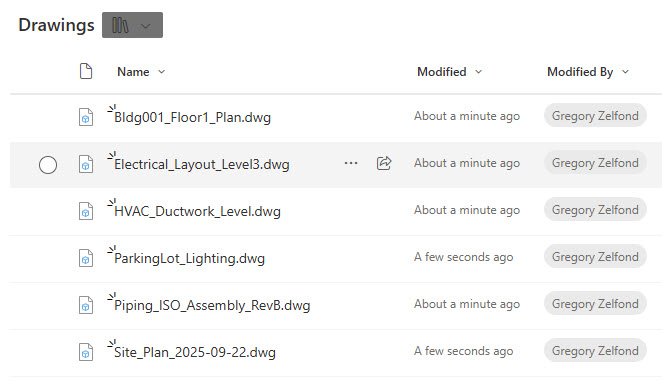
The first reason is that you cannot open CAD files directly from SharePoint using the native application. For this to work, the files have to physically reside on the users’ computers. This means users must manually download these CAD files to a PC first or sync them locally via the OneDrive Sync (more on this below). If you use Autodesk AutoCAD, there are some integrations with SharePoint available through their Web App. However, for the desktop app, files must be stored locally on the PC (via OneDrive Sync).
Limitation # 2: CAD Files Dependencies
Unlike office files like Word, Excel, and PowerPoint, which are all independent entities, many CAD files reference other files. In other words, if you need to open one file, you might need to rely on several different files for dependencies. This brings additional complexities when it comes to downloading and their use with SharePoint.
Limitation # 3: Lack of Co-authoring capabilities
This probably depends on the CAD application, but the whole idea behind storing files in SharePoint is that you get the benefits of real-time collaboration/co-authoring. Most CAD apps do not support this, which means they risk being overwritten by accident. As such, users must get into the habit of checking in and checking out.
Limitation # 4: Large file size
I did not imagine saying it out loud, but size does matter. 😊 CAD files tend to be pretty significant in file size compared to their Office counterparts. That affects download times and general usability. Not to mention OneDrive Sync bandwidth issues.
Limitation # 5: OneDrive Sync issues
Speaking of OneDrive Sync… Due to the reasons above, CAD files must be synchronized to the users’ PCs all the time. OneDrive Sync has its share of issues and limitations already, even with regular Office files. CAD files, due to their size and nature, add to the list of issues and affect performance.
Limitation # 6: Search
This is probably a subject to change in the future, especially with the roll-out of Copilot, but CAD files might not be easily discoverable by SharePoint search. Unlike Office files, where search also looks for content/text inside the documents, CAD files might only have a file name available to the search mechanism.
Recommendation
Given the list of limitations and issues outlined above, along with years of experience witnessing customer headaches, I recommend sticking to either dedicated PDM (Product Data Management) Systems or Project Lifecycle Management (PLM) systems, or cloud file sharing solutions like Azure Files and Azure File Sync.

Share Article