Hub sites vs. Subsites in SharePoint
I first published an article on this topic back in 2019. This was when we still had subsites in use quite extensively, and the main goal of my article was to educate users about Hub Sites and their benefits compared to subsites. Fast forward several years, and Hub Sites now rule the landscape. Ironically, many still utilize subsites as well. So I decided to rewrite my earlier article and provide some fresh perspective on the benefits of Hub Sites. I hope it will convince those still using subsites to switch as soon as possible!
Hub Sites vs. Subsites
Before I explain the advantages of hub sites vs. subsites, I think it makes sense to describe the two ways to organize sites in SharePoint.
What are Subsites?
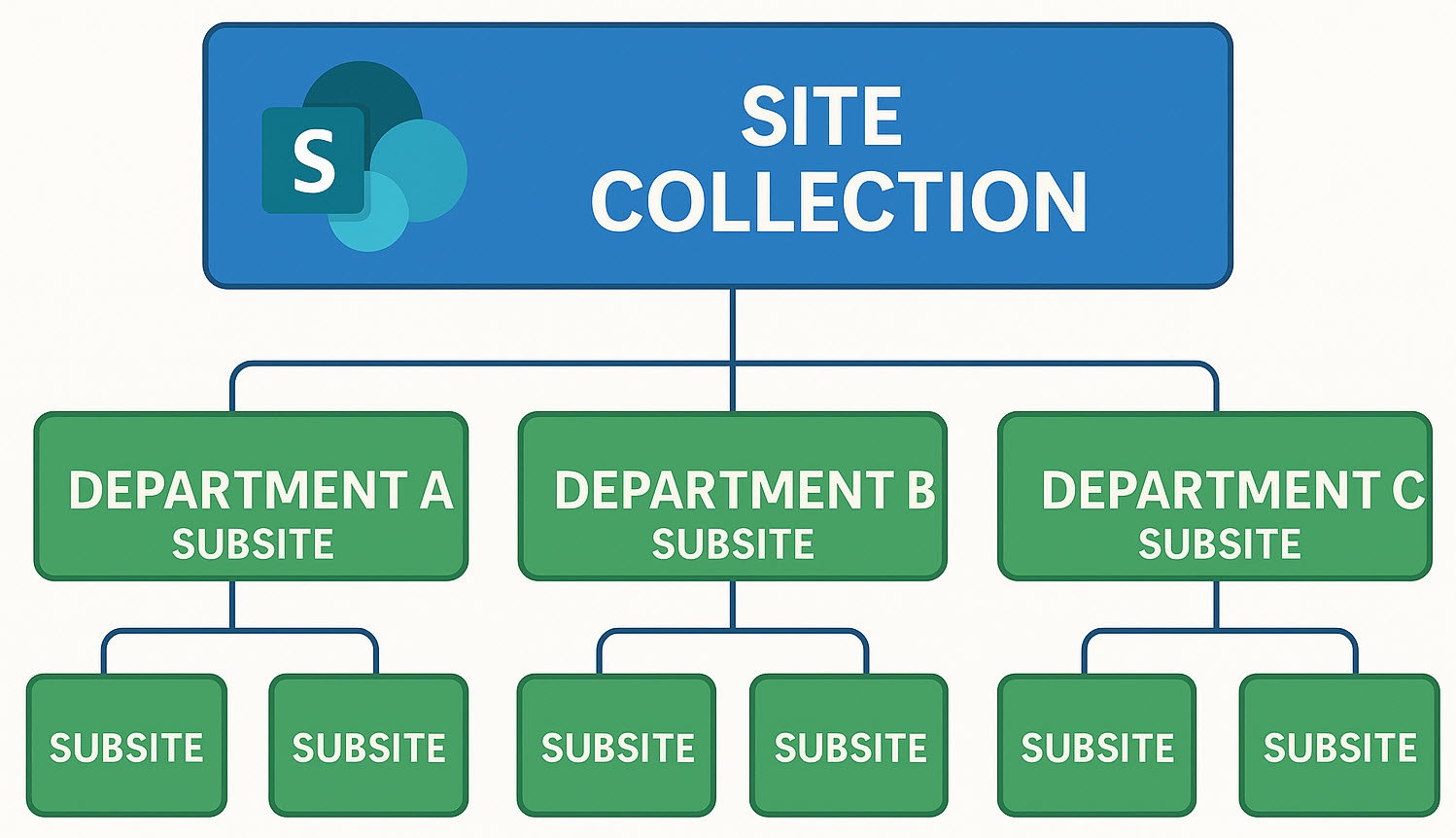
Subsites are how we organized sites in the old (classic) version of SharePoint. We would create a site collection (top-level site) and then create subsites underneath. We could create many different levels of subsites under subsites. So it almost looked like a folder hierarchy or a family tree. All the subsites were sharing the same site collection.
What are Hub Sites?
In 2018, with the modernization of SharePoint, we switched to the new “flat architecture” model. We no longer created a single site collection. Instead, every single site was now a site collection of its own (we simply started calling it a site). And instead of creating subsites, each site was its own site collection, independent of the others.
Since every site was now its own site collection, Microsoft also released new functionality called Hub Sites to unite them. It allowed users to “unite” all the independent sites (site collections) together under one umbrella called “Hub”. I explained this feature in greater detail here.
Advantages of Hub Sites over Subsites
Advantage # 1: Security Model
I list the advantages of hub sites over subsites below in no particular order, but the first is probably the most important. With the subsite model, when all subsites shared the same site collection, it was very easy to mess it up with security inheritance. You would set permissions on one site, and other subsites would inherit it from the parent site. You always had to watch out and break inheritance to prevent oversharing.
With Hub sites, we don’t have this problem, as each site is an independent entity by design. So whatever you do on one site does not impact any other sites.

Advantage # 2: Common Navigation
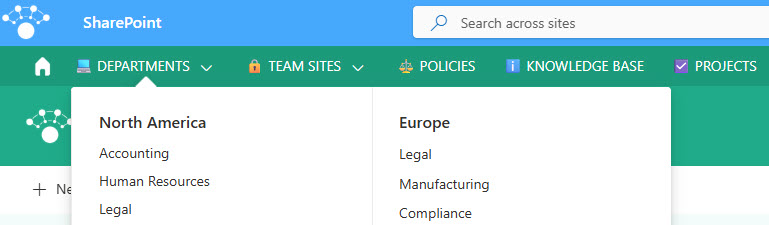
This is the number one reason we got the Hub Sites in the first place. With all the sites being independent entities, it is important to create a common navigation for the best end-user experience. While you have to create that navigation manually, it is consistent for all the sites within the hub, allowing users to access any site within the hub with 1 click easily.
Advantage # 3: Branding
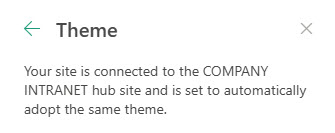
The other advantage of hub sites is branding. When you connect a site to the Hub, it inherits branding (theme, header color, and font) from the parent site. This assures consistency and allows organizations to create and maintain unique branding for each hub created.
Advantage # 4: Search Scope
Another big advantage that is often missed. It is not uncommon to have tens and hundreds of team sites and communication sites within a tenant. Searching them all might become a project by itself. Luckily, when you create a Hub, you create a unique search scope. Meaning that when you search within a Hub, you only search sites that are part of the Hub. So, for example, you can search an Intranet Hub only for the Intranet content. Or perhaps you can create a Client or Project Hub and search the project sites.

Just in case you are wondering, search is permissions-driven, so if the site is part of the hub but you do not have access to it, it won’t search that site.
Advantage # 5: Ability to aggregate News and Events
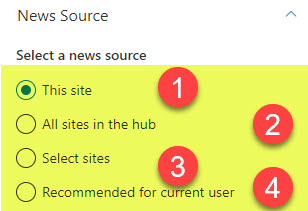
Another huge advantage is that you can use Hubs to aggregate news and events from the associated sites. This is especially useful if you create a Hub for an Intranet or a Business Unit. This way, you can allow each department to post news and events on their sites and have all of them aggregated on the main Hub Site.
I wrote a separate post on how to aggregate content within the Hub – check it out here.
Advantage # 6: External Sharing management
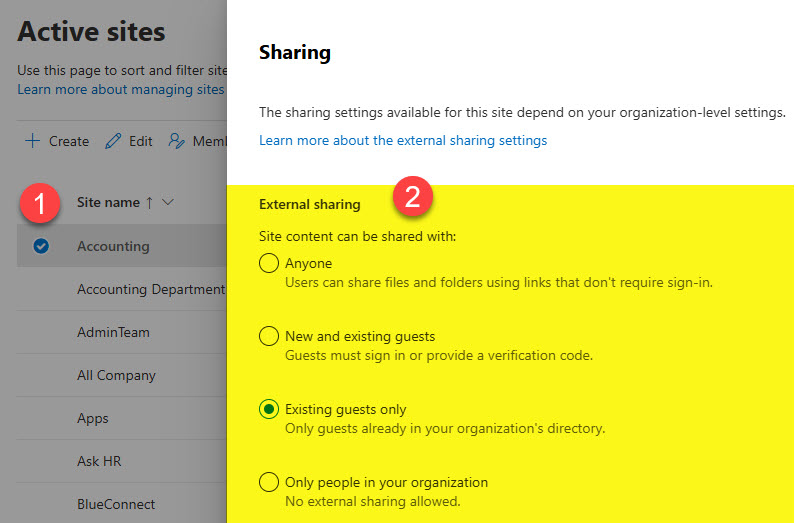
Another huge advantage of Hub Sites and flat architecture. In SharePoint, we control external sharing at the site level. What that means is that when we had subsites, it was an all-or-nothing proposition. Whatever you set at the site (site collection) level is applied to all the subsites inside of it. That was a pain as you opened up all subsites for external sharing when you just needed to enable it on one subsite.
With Hub Sites, this is no longer the case. Each site is an independent entity, and you can allow or not allow external sharing on a per-site basis.
Advantage # 7: Flexible reorganization model
With Subsites, once created, you were kind of stuck. You couldn’t move it to another site collection, and it was pretty much set in stone.
With Hub Sites, you can easily associate and re-associate sites to other Hubs as necessary. It is a very flexible model and is great when you have a reorg happening within your firm.

Advantage # 8: Ability to use modern site templates
With subsites, you couldn’t really take advantage of modern site templates. You could only create classic (old) sites. With Hub Sites and flat architecture, we can create Team Sites, Communication Sites, and Team Sites without a group. These are all modern templates we now have. Check out this article to learn more about them.

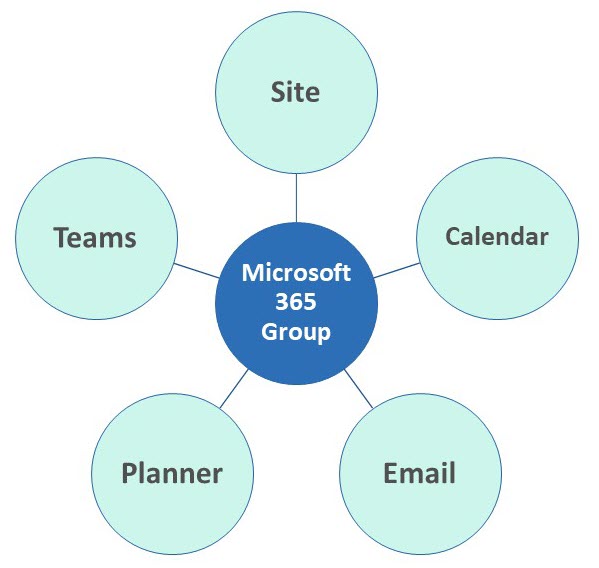
Advantage # 9: Ability to connect to a Microsoft 365 Group and Teams
Kind of related to the above advantage, when you create Team Sites, they are connected to Microsoft 365 Groups. You can also attach other apps, such as Teams and Planner, to it. This was not possible with classic subsites, as those could never be connected to a Microsoft 365 Group and other Microsoft applications.
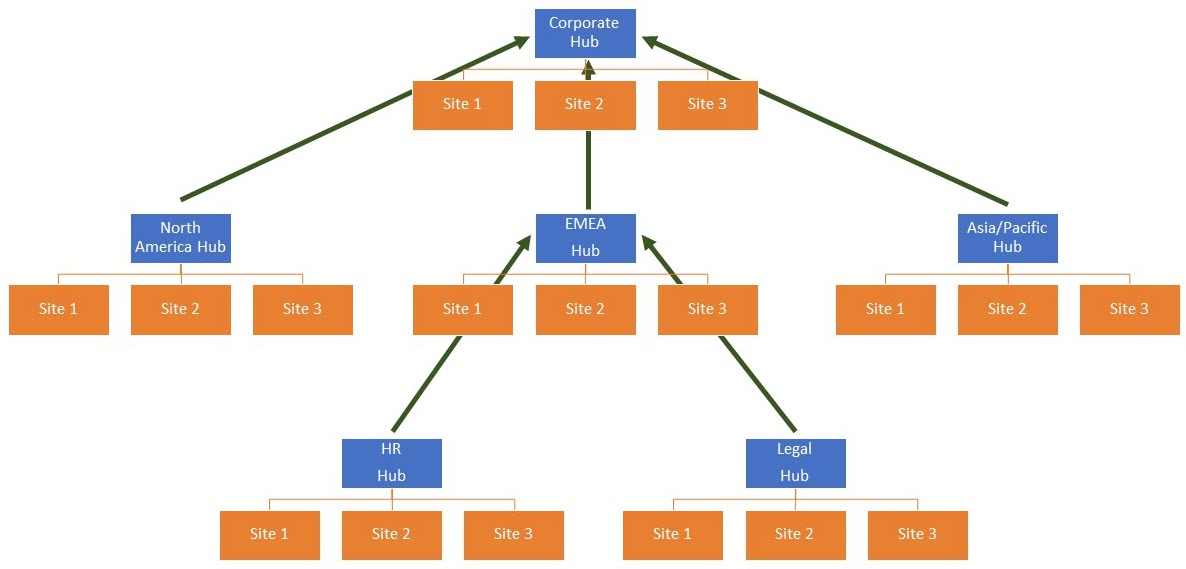
Advantage # 10: Ability to nest Hubs within other Hubs
While we got the ability to create Hub Sites in 2018, sometimes you might want to embed a Hub within another Hub. This makes sense for larger organizations. You might create a region hub and embed it inside the corporate one. I explained how this works here.
This allows organizations to organize and reorganize their sites and hubs as necessary. With subsites, this was not really possible.

Share Article


