How to trim a video stored in SharePoint
SharePoint is a fantastic content management system that allows you to store and organize files like Word, Excel, PowerPoint, Adobe PDFs, and many other types of content, like images and videos. We can edit Office files with respective office apps (Word, Excel, etc.), and we can also edit the PDFs now. But what about videos? While you need professional video editing software for major tweaks and editing, you can do certain things right in SharePoint. One such capability is the ability to trim videos (make them shorter). Let me describe how this works.
- Click on a video you want to trim

- Next, click on Trim in the upper-right corner. At this point, you can select the start and end points for the cut. You can also adjust the timestamps manually or move the play heads within the video.

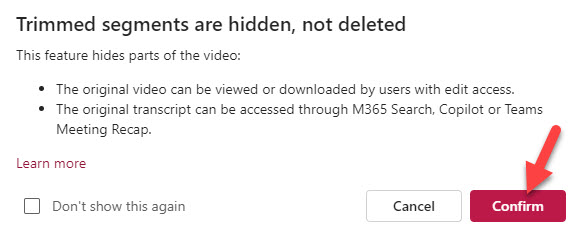
- After you press the checkmark icon, the new cut will be established. You will get the warning message below, which warns you that the original video will still be accessible to Site Members (more on this below).
Experience for the Users
Once the video is trimmed, Site Visitors will see the trimmed video when it is embedded on a page or when they click on it. For example, my 11-second video below only shows a 4-second trimmed clip.

Nuances about the Trim feature on Stream Videos
- The trim feature DOES NOT delete any portions of the video. Instead, it hides the trimmed portion from the visitors
- Site Visitors (those with Read Permission Level) will only see the trimmed version of the video
- Site Members (those with Edit Permission Level) or above will see the trimmed version of the video by default, but will be able to access the full video if need be
- You can hide (trim) multiple parts of the video
- According to Microsoft, you can trim up to 5 parts of the video for now

Share Article