8 Core Pillars of a Successful SharePoint Information Architecture
I am often asked about the decisions that go into the proper SharePoint Information Architecture. Information Architecture means different things to different users. However, during my 10+ year consulting career, I developed a list of 8 key pillars of the successful SharePoint architecture, and that is what I would like to discuss in this article. Think of those pillars as the decisions you must make or consider before setting up a SharePoint environment.
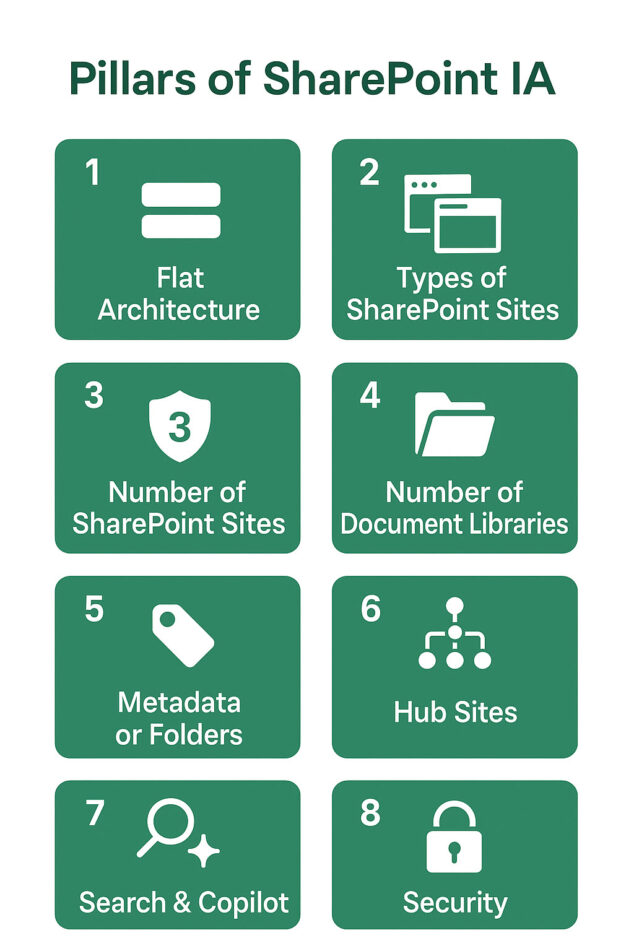
Decision # 1: Flat Architecture
This decision may not matter in the long run, but it remains fundamental. I mention it due to the history of SharePoint, which has been around for nearly 25 years now. For those who started using SharePoint during the Bush Jr. or Obama Administration, you might recall that we had a concept of Site Collections and subsites back then. So sites were structured almost like folders, with multiple levels. Therefore, it is often a surprise to many that modern SharePoint is built on a flat architecture. I describe this concept in greater detail here. In other words, in the current SharePoint, all sites are independent entities, all located “on the same level”. There is no hierarchy anymore. This means that each site has its own content, navigation, and permissions. This decentralized model enables greater flexibility, including permissions management and external sharing.
The bottom line here is: no more subsites! I still see a good share of those, even 8 years after we switched to modern SharePoint.

Decision # 2: Types of SharePoint sites
Now that we have agreed on the flat architecture, the next decision you have to make is which types of sites you will need to use. There are three to choose from, and each one has its place and purpose. I explained the 3 different types of sites and reasons why you would choose one over the other in this article. Creating the wrong types of sites can lead to permissions issues and increased maintenance. What’s worse, once a certain type is created (i.e., Team Site), it can’t be converted to a Communication Site or vice versa. So choose wisely!

Decision # 3: Number of SharePoint sites
The next decision for you to make is how many you should create. The rule of thumb in SharePoint is that whenever you have unique security requirements, you create a separate site. The more, the better. Check out this article for all the various reasons you need to know that would justify the new site creation.

Decision # 4: Number of Document Libraries
The next big decision you have to make is regarding the number of document libraries. By default, you get one on each SharePoint site, but you can create as many as you wish. Various factors may prompt you to create additional libraries, including the number of files, security concerns, and the use of metadata. Here is an article that provides a more detailed explanation.

Decision # 5: Metadata or folders
This is, of course, an age-old debate, and while folders are the default and often preferred way to organize documents, metadata still has plenty of use cases. Choosing one over the others depends on several factors, such as local sync, permissions, and search. Check out this article for things to consider.
Decision # 6: Hub Sites
The next and somewhat global decision you would need to make is about Hub Sites. Specifically, whether or not to utilize them and, if so, the number of hub sites to create. This depends on the size of your organization, the number of sites you have, etc. I suggest checking out this post to help you understand what Hubs are all about, and this article to help you answer how many you might need.

Decision # 7: Search & Copilot
This is not so much a decision you have to make, as it is a built-in function, but rather a general thing to be aware of. Especially now with the rollout of Copilot, this will probably also change. Unlike SharePoint Classic Search, which relied on site and folder hierarchies and worked the same way for everyone, modern SharePoint Search relies on Microsoft Graph. In other words, modern search is personalized and depends on user activities and intelligent ranking. This is similar to how Facebook and Google search work.

Decision # 8: Security
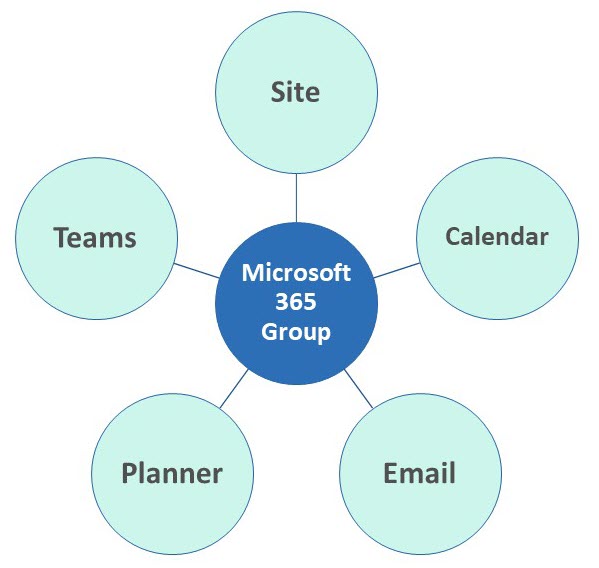
This is a big one. The good news is that SharePoint security is very flexible. The bad news – SharePoint security is very flexible. You can utilize SharePoint security groups, Entra ID Groups, or rely on Microsoft 365 Groups. Which one you choose again depends on internal IT policies and other factors. I suggest you check out this article that explains and compares all options in greater detail.

Share Article