< All Articles
How to organize Forms into Form Collections
One recent change in the Microsoft Forms application was the ability to organize Forms into logical containers. In this article, I explain the feature and some of its nuances.
What are Form Collections?
Think of Form Collections as folders for Forms. If you have created many forms, finding the right one in a list within the Forms application might be challenging. So, you can create logical categories/folders to organize the Forms, such as HR Forms, Marketing Forms, Quizzes, etc.
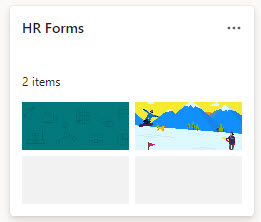
How to Create a Form Collection
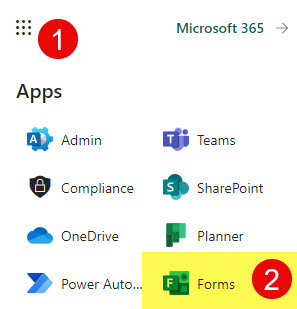
- Click on Microsoft 365 App Launcher, then Forms
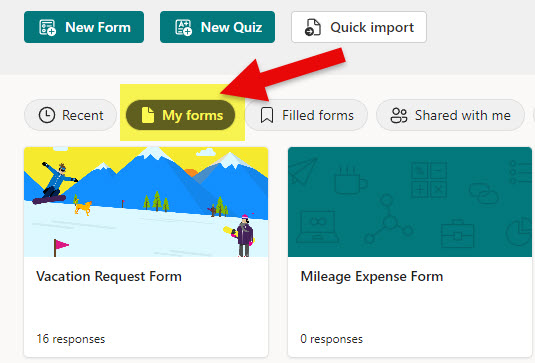
- Click on My forms tab
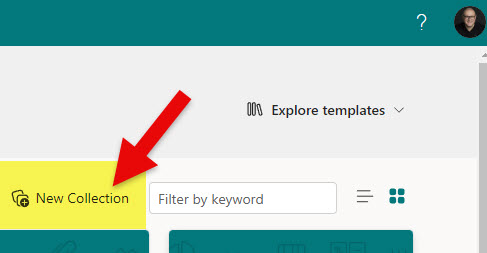
- In the upper-right-hand corner, click on New Collection
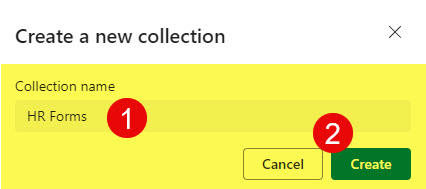
- Give it a name and click Create
How to add Forms to the Form Collection
There are two ways you can add a Form to the Form collection:
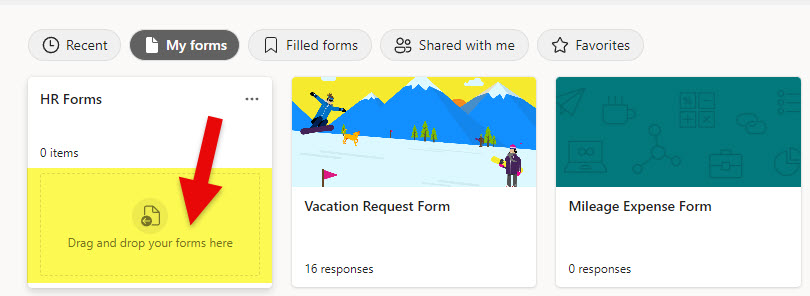
- Option 1: Just drag and drop a Form inside the Form Collection
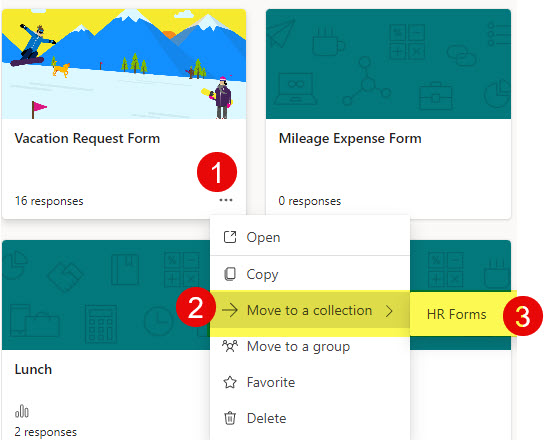
- Option 2: You can also manually add a Form as well
Important Notes about Form Collections
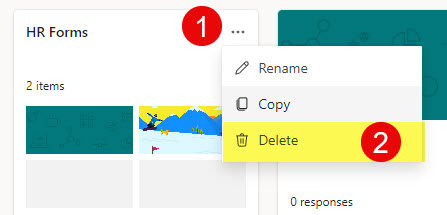
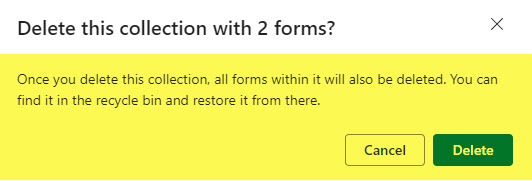
- Deleting Form Collection also deletes the Forms it contains!
- You can only organize your own forms (Forms you created), not the ones others shared with you.
- Likewise, you cannot organize Group Forms into Collections, just personal ones!

Share Article