Microsoft 365 Tools you can use to manage Agile and Scrum Projects
Having spent 10+ years in project management, I appreciate the tools and applications in the Microsoft 365 ecosystem that assist project teams with project communications, collaboration, and task management. While some projects require sophisticated tools to manage effort and task dependencies, the majority can be managed efficiently with an agile approach. Luckily, we have a few options to manage tasks in Agile. Let me explain.
What are Agile Projects?
Agile Project management is a framework for managing projects using an iterative and incremental approach, in contrast to the traditional Waterfall method’s phased approach. While there are different methodologies (Scrum, Kanban, etc.), the basic idea is that the project is split into small, manageable phases (sprints), where deliverables are developed and refined incrementally. This allows the project team to adapt quickly to change, gather continuous feedback, and deliver value to stakeholders more quickly and efficiently. You can read more about Agile and related methodologies here.
Option 1: Planner
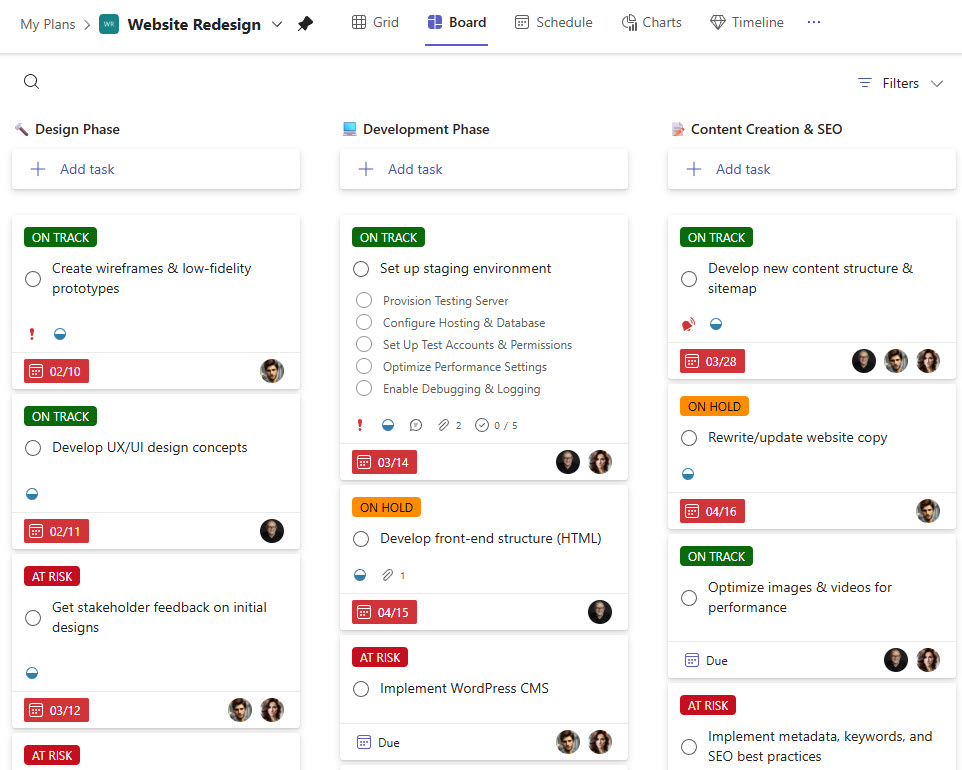
The first option that comes to mind is Planner. By design, it is a Kanban Board-style task management tool. You can create buckets for sprints and the backlog, and easily move tasks around.
Pros
- Does not require any setup
Cons
- Lacks some of the other elements of Agile/Scrum methodology, like the Burndown chart.
Option 2: Planner Premium
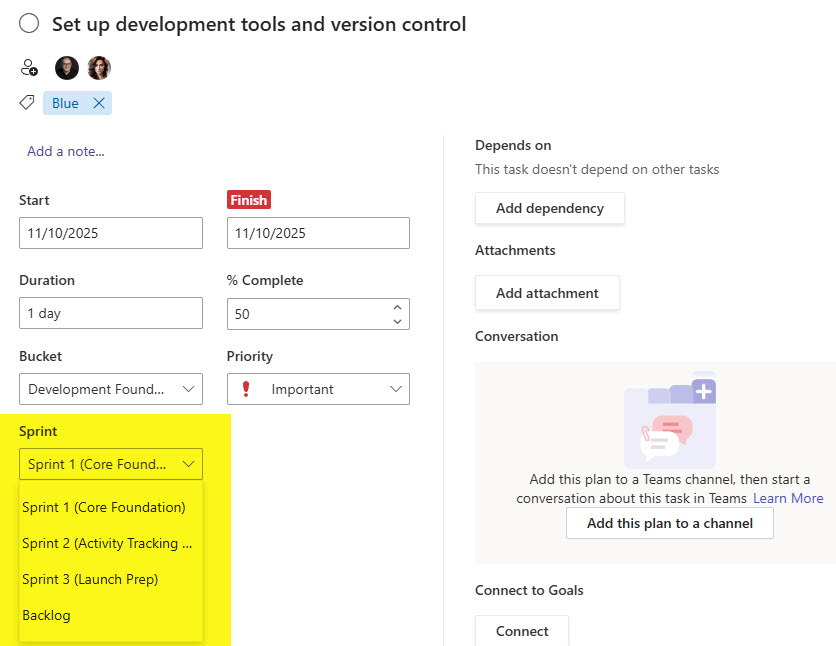
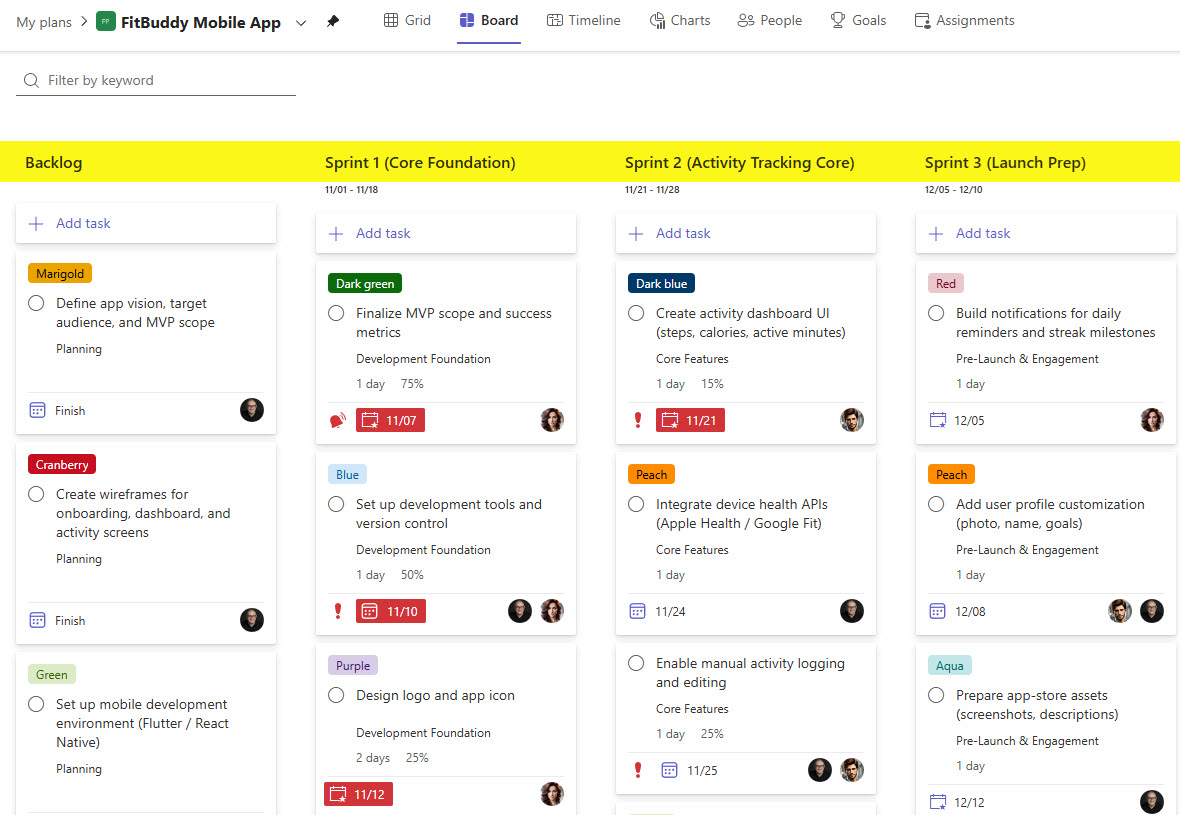
The next option is Planner Premium. While the primary purpose of Planner Premium is to create Gantt-chart project schedules that help project managers manage effort and task dependencies, it also includes a dedicated Sprint View. First, define your Sprints, then assign tasks to each Sprint. Check out this post to learn more about Planner Premium.
Pros
- Built-in Sprint View
Cons
- Requires additional licensing
Option 3: Loop Kanban Board
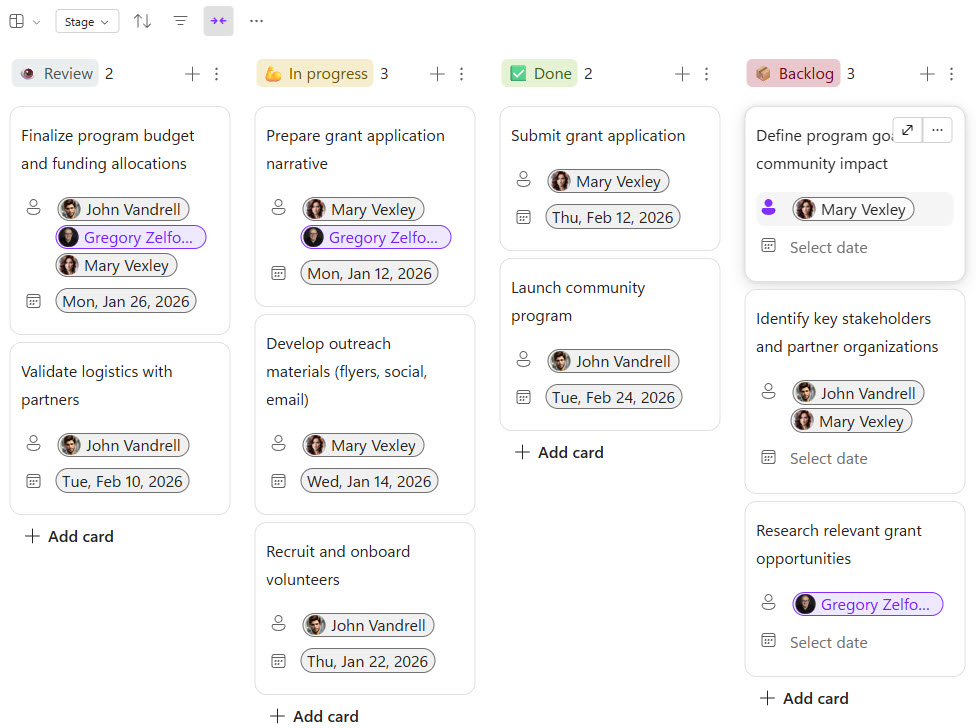
The third option is available thanks to the new app we now have in Microsoft 365 – Loop. Among its components, there are two task-related components that can be used for Agile project management. The first one is Kanban Board. It is an equivalent of Planner, but in Loop.
Pros
- Simple to set up
- Can easily be added to Loop Pages
Cons
- Lacks all the bells and whistles of Planner
- No integration/synchronization with Planner
- Only makes sense to use it if you use the Loop ecosystem for project management
Option 4: Loop Tasks
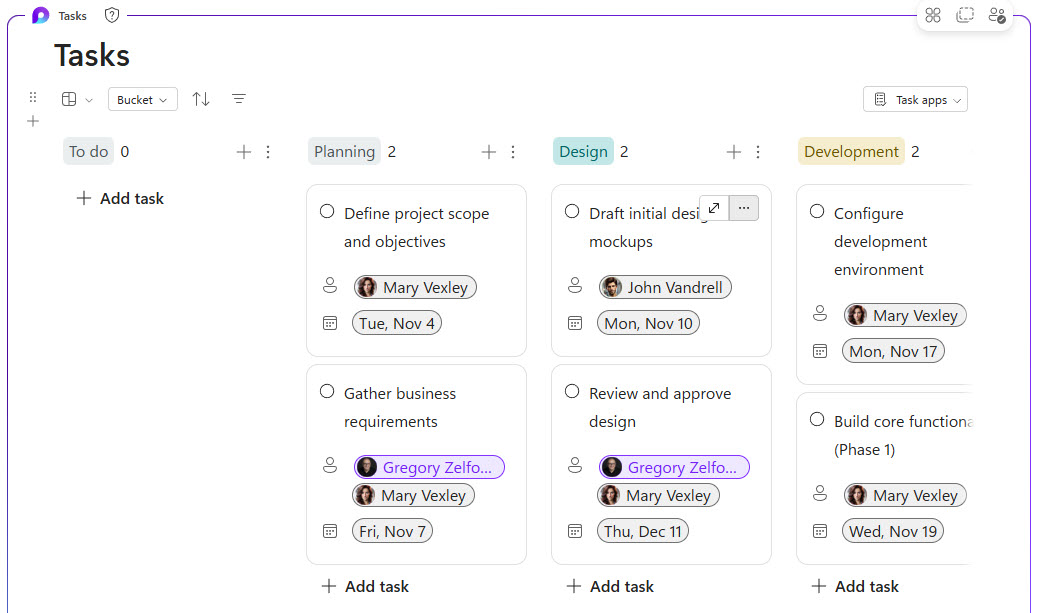
Another Loop component that can be used for Agile Project Management is the Tasks Component. It also allows for a Kanban-style Board via one of its views. The most significant advantage of this option over the Loop Kanban Board is that tasks from this component can be synchronized with Planner.
Pros
- Simple to set up
- Tasks can be synchronized with Planner and aggregated with all the other tasks (see if additional fields can be created for this and the Kanban Board component)
Cons
- Limited task management options
Option 5: List with Board view
And finally, we also have Lists. While Lists are best used for checklists and trackers and are not a traditional task management tool, they can be adopted in certain use cases. Lists allow for the creation of Board View, which mimics the Kanban-style task management.

Pros
- Since these are Lists, you can create any metadata columns (custom fields) you wish
- Version History helps too!
- Integration with Power Automate and Rules allows for the creation of custom email notifications not currently available in Planner.
Cons
- Tasks created in Lists do not integrate with Planner and do not roll up with any other tasks in Microsoft 365
- Takes some time to set up/create all fields, views

Share Article